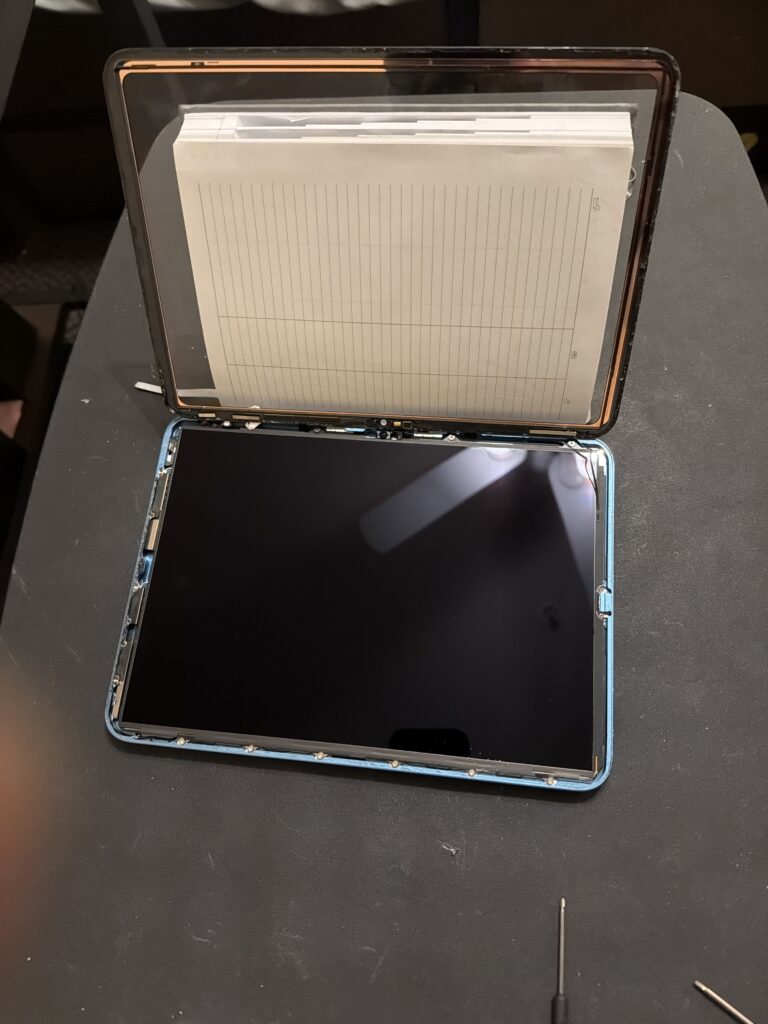
iPad 10th Gen
Model: A2696 (Wi-Fi) | Process ID: #IPAD-10-W1
Repair Workflow
01
Thermal Softening: Heat perimeter to 70°C (3 mins). Use iOpener or Heat Gun.
02
The “Book” Opening: Pivot screen from LEFT to RIGHT. (Cables are on the right).
03
Power Isolation: Insert battery blocker immediately. Do NOT touch LCD screws yet.
04
Cleanup: Use 99% IPA to strip all acrylic adhesive from the frame.
05
Dry Fit Test: Connect digitizer, remove blocker, and test touch sensitivity.
06
Final Cure: Apply T-7000/3M tape, drop glass, and clamp for 2 hours.
Official Work Order Details
| Category | Specification / Requirement |
|---|---|
| Adhesive Required | 3M 9448A Tissue Tape (Pre-cut) + B-7000 corner drops |
| Display Type | Non-Laminated (Separate Glass/Digitizer & LCD) |
| Tooling Kit | Phillips #000, Plastic Picks, ESD Spudger, Heat Pad |
| Security Note | Check Touch ID cable integrity before closing frame. |
CRITICAL: Watch Points
Wi-Fi 6 Antenna:
Located near the bottom-right corner. Shallow picks only. Damage causes intermittent signal loss.
LCD Dust Intrusion:
Non-laminated air gap. One fingerprint requires full screen cleaning with specialized solvent.
Documentation Last Updated: Feb 2026 | Internal Use Only
For Customer:
Shipping Invoice Requires a Password.
Repair Update